
Web Designers and Developers, Grab This Lifetime Storage Before Black Friday Ends

Affiliate disclosure: this post contains affiliate links. If you buy pCloud through them, I earn a commission at no extra cost to you. I have paid for pCloud with my own money and used it for client work every day since Black Friday 2021.
If you build or design websites for a living, your laptop is not really full of your files. It is full of other people's. A product photo dump from an online store client. Raw shop videos. Logo files in five formats. Fonts, mockups, exports, and a full backup of every site you have ever touched.
I have delivered more than 300 websites, and that pile of client files is exactly what pushed me to buy a pCloud lifetime plan on Black Friday 2021. I paid once, $122.50 for 500 GB, and I have not paid a storage bill since. pCloud's lifetime plans are at their Black Friday price again right now, starting at $159 for 500 GB instead of $279, one payment for life. So this post is for developers and designers: the jobs it actually does in my workflow, which plan fits which kind of freelancer or studio, and why it is worth sorting out before the sale ends.
Key takeaways
- Developers and designers run out of space first, because client assets, design files, videos and site backups are big and never stop coming.
- Request files gives clients an upload link, so assets arrive at full quality without email limits or WhatsApp compression.
- Share final work with password-protected links with expiry dates, and keep a copy of every site backup away from the hosting server.
- pCloud Drive keeps big project folders off your SSD, and you can restore previous versions of files when a client wants the old one back.
- Until the Black Friday sale ends: 500 GB is $159 instead of $279, 2 TB is $379 instead of $709, and the 3in1 Bundle with Encryption and a password manager is $579 instead of $1,517. One payment, for life.
- Keep your code in Git. pCloud is for assets, deliverables and backups, not a replacement for version control.
In this post
- Why we run out of space first
- Collect client files properly
- Deliver work with secure links
- An off-server home for site backups
- Keep your SSD free
- Big design and video files
- "Can we go back to the old one?"
- Client logins and contracts
- What I do not put in pCloud
- Which plan for which freelancer
- Why do it before Black Friday ends
Why developers and designers run out of space first
A normal person's storage fills up with their own photos. Ours fills up with everyone's. On a typical project I receive or create:
- Product photos for online stores, often hundreds or thousands per client, usually straight off a camera or phone at full size.
- Video: shop walk-throughs, hero background videos, product clips, testimonials.
- Brand and design files: logos, brand guides, layered source files, mockups and exports in every size.
- Content: brochures, menus, price lists, PDFs and old website text.
- Backups: a full copy of the site before any change, and of the old site before a redesign or host move.
None of that can be deleted when the project ends, because clients come back. "Can you add the new products?" two years later means you need the originals. So the pile only grows, and one external drive at a time is not a plan.
1. Collect client files without the email and WhatsApp mess
Getting assets from clients used to be the slowest part of a project. Email has attachment limits. WhatsApp compresses photos until they look bad on a big screen. Shared drive links come back as "request access" emails. Pen drives mean a meeting.
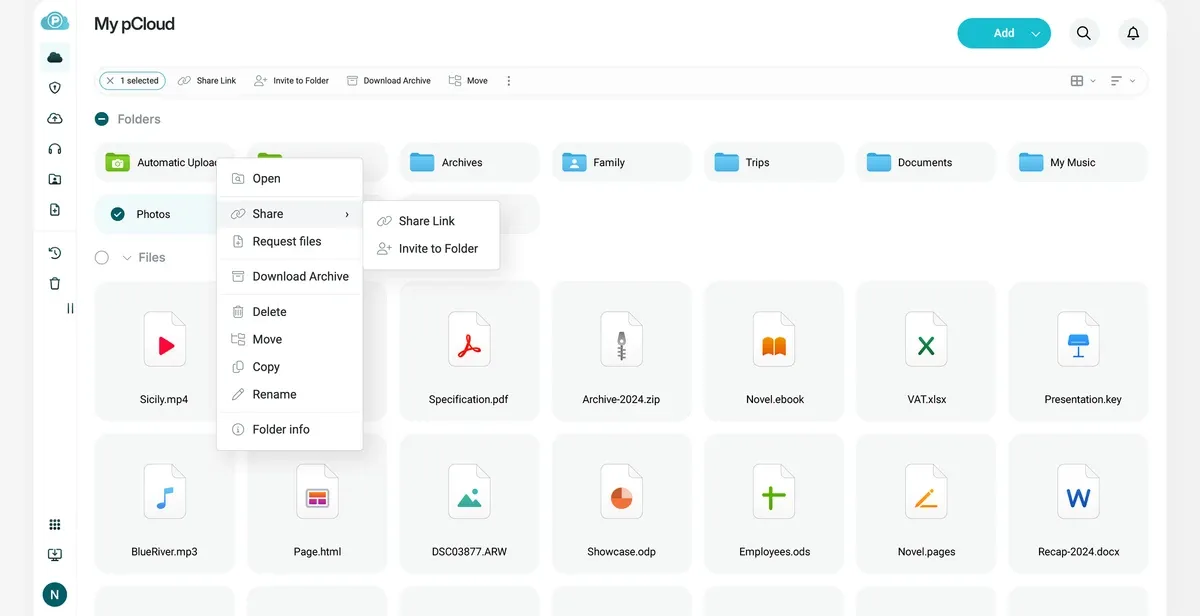
With pCloud I right-click a client folder, choose Request files and send the link. The client opens it in any browser, drops in their files without making an account, and everything lands in that folder at full quality. One link per project, and no more chasing files across five apps.
2. Deliver work with password-protected, expiring links
The same goes the other way. At the end of a project I share a download link with the final logo pack, edited images, any videos and a backup of the finished site. pCloud lets you protect shared links with a password and set an expiry date, so a client's files are not sitting on an open link forever. On paid plans you can also brand your shares, which looks more professional than a bare file list.
Handing clients their own copy is not just good service. It is one of the first things I tell business owners to insist on, so they are never stuck if a developer disappears. I wrote about that in how to switch web developers without losing your website.
3. An off-server home for every site backup
Every website I look after has several backups: regular daily or weekly ones, a full backup before every update or change, and another before any redesign or move to a new host. Most of them live with the hosting, which is fine until the hosting is the problem. A failed server, a suspended account or a hacked site that has also infected its own backups all leave you with nothing to restore.
So I keep a copy of the important backups in pCloud, one folder per client, away from the server. Full backups with all files and the database get large for online stores. The $159 plan with 500 GB is plenty to start, and you can move up to 2 TB later as your client list grows. I explain the routine in more detail in my main pCloud post, and it is part of every website maintenance job we do.
Automatic WordPress backups to pCloud
On WordPress sites this copy is automatic. We use UpdraftPlus for scheduled backups, and its paid version can send them straight to pCloud as remote storage. You can see how we take a full UpdraftPlus backup before every change in how we update WordPress without breaking your site. Every scheduled backup lands in pCloud without anyone having to remember to download it.
pCloud also has its own free plugin, pCloud WP Backup, on wordpress.org. You connect your pCloud account, pick a backup schedule, and it saves your site's backups to your pCloud on that schedule. If you run your own WordPress site and do not want a paid backup plugin, it is a simple way to get an off-server copy.
4. Keep your SSD free with pCloud Drive
Laptop SSDs are fast and small, and paying for a bigger one costs far more than cloud storage. The pCloud Drive app adds your cloud as a drive on Windows or Mac. You open and save files there like any other drive, but they live in the cloud instead of on your disk. That is how years of client projects stay one click away on a laptop with a modest SSD.
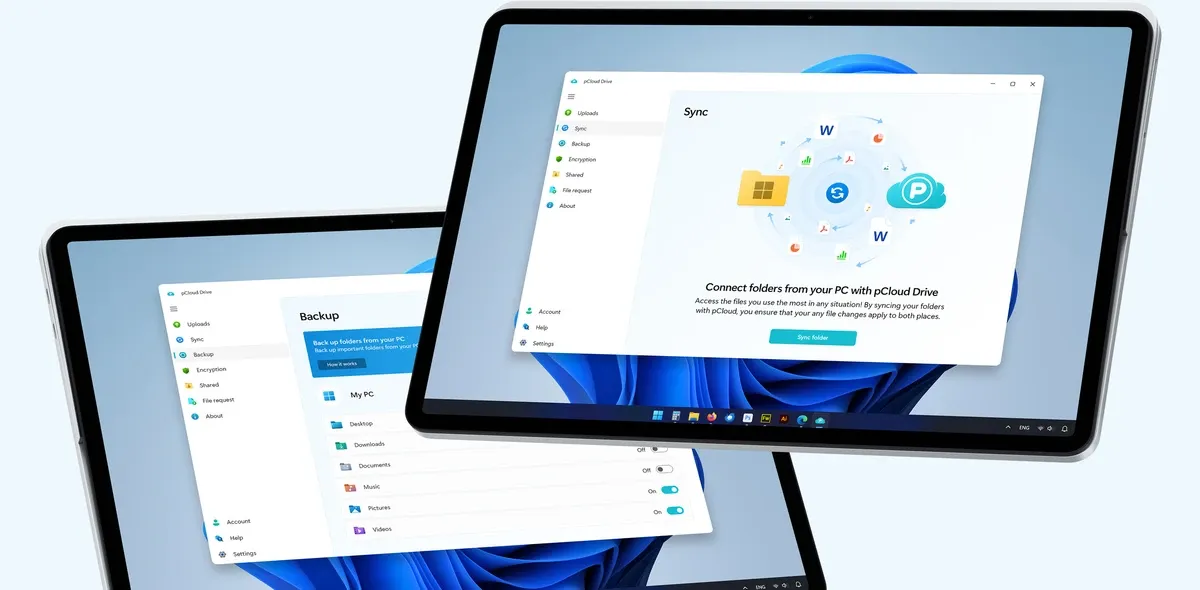
For the project you are working on this week, use Sync to keep that folder on your computer and in pCloud at the same time, so it works offline and is backed up as you go. When the project is done, it moves to the cloud-only archive and frees the space again.
5. Big design and video files
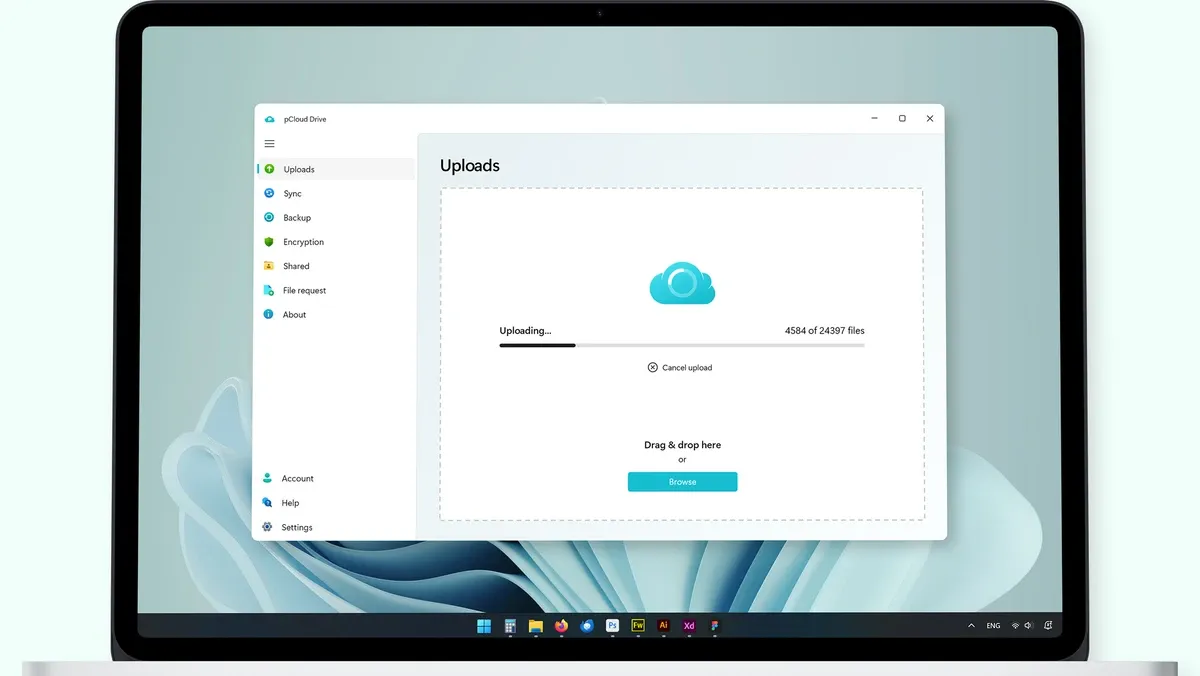
pCloud says you can upload files of any size with no limit on transfer speed. In practice that means a 4K video, a huge layered design file or a zipped site backup goes up the same way as a small image. The desktop app runs big batches in the background, and the built-in video player lets you check a client's video in the browser before you download anything.
6. "Can we go back to the old one?"
Every designer has heard it. The client loved version 3, then version 7, then wants version 3 again, and you saved over it. pCloud keeps previous versions of your files, so you can restore an earlier one, and it lets you recover data from up to 30 days back. It is not a substitute for naming your files properly, but it is a good safety net.
7. Client logins and contracts: Encryption and Pass
Developers hold a lot of keys: hosting logins, WordPress admin accounts, domain registrar access, contracts and sometimes client ID documents. Those should not sit in a plain folder or a notes app.
That is where the 3in1 Bundle makes sense. It adds pCloud Encryption, an encrypted folder where files are locked on your own device before they upload, with a key only you hold, and pCloud Pass Premium, a password manager for all those client logins. Neither is included in the 500 GB, 2 TB or 10 TB plans, so if you want them, the bundle is the cheap way in. One warning: with Encryption, pCloud cannot reset a forgotten password, so store it safely.
What I do not put in pCloud
An honest note for developers: pCloud is not version control. I keep code in Git, on GitHub, where branches, history and deploys belong. Syncing a working code folder full of node_modules or a .git directory through any cloud drive is slow and can cause conflicts, because those folders hold tens of thousands of tiny files that change constantly.
- In Git: source code, themes, plugins and config.
- In pCloud: client assets, design files, videos, deliverables, contracts and site backups.
- On the server: the live site and its regular backups, with a copy of the important ones also in pCloud.
Which plan for which freelancer
These are pCloud's Black Friday lifetime prices, checked on 20 November 2026. All are one-time payments in US dollars, and they go back to the regular price when the sale ends.
| Plan | Black Friday price | Regular price | Best for |
|---|---|---|---|
| Premium 500 GB | $159 | $279 | Starting out, or mostly small brochure sites. This is where I started in 2021. |
| Premium Plus 2 TB | $379 | $709 | Most freelance developers and designers, especially with online store clients and site backups. |
| 3in1 Bundle (3 TB) | $579 | $1,517 | Anyone holding client logins, contracts or ID documents who wants Encryption and a password manager. |
| Ultra 10 TB | $1,099 | $2,799 | Studios with lots of video, photographers who also build sites, and long archives of raw files. |
Why do it before Black Friday ends
Because the maths only works once a year. The cheapest way in is the 500 GB plan at $159, $120 off its regular $279. That is the plan I started on, and for $159 once you never pay for it again. If you need more, a 2 TB monthly plan from the big providers costs around $10 a month in the US, about $120 a year. The pCloud 2 TB lifetime plan at $379 equals a little over three years of that, and then it is free for as long as you use it. After the sale, those plans go back to $279 and $709.
For most of us, a single small website project pays for the $159 plan several times over. And unlike a new laptop or a bigger SSD, it does not need replacing in three years. I paid $122.50 in 2021, and five years of daily client work later, it still holds everything.
If you also want the story of how I use it for my own phone photos and PC backups, read how I fixed storage full for good with one payment.
Questions we get asked
What is the best cloud storage for web designers and developers on this Black Friday deal?
The pCloud lifetime plans, starting at $159 for 500 GB instead of $279 on this Black Friday deal. It covers client uploads, deliverables and website backups with one payment, and it is the plan I started on in 2021. Freelancers with lots of online store clients can go for 2 TB at $379.
Can clients upload files to me without a pCloud account?
Yes. Use Request files on a folder to create an upload link. Clients open it in any browser and upload at full quality without signing up, which beats email limits and WhatsApp compression.
Should I keep my code in pCloud?
No. Keep code in Git, on GitHub or similar. Syncing folders like node_modules or .git through any cloud drive is slow and can cause conflicts. Use pCloud for assets, design files, videos, deliverables and website backups.
Can WordPress backups go to pCloud automatically?
Yes. We use UpdraftPlus, whose paid version can send scheduled backups straight to pCloud. pCloud also has its own free plugin, pCloud WP Backup, which backs up a WordPress site to your pCloud account on a schedule you choose. Either works with the plans on this Black Friday deal.
Which plan should a freelancer pick on this Black Friday deal?
Start with 500 GB at $159, the lowest price on this Black Friday deal and the plan I began with. Move to 2 TB at $379 if you handle lots of online store photos and video, and pick the 3in1 Bundle at $579 if you also want Encryption and the pCloud Pass password manager for client logins and contracts.
Is pCloud Encryption included in the Black Friday deal?
Only in the 3in1 Bundle, which is $579 instead of $1,517 on this Black Friday deal and includes 3 TB, pCloud Encryption and pCloud Pass Premium. The 500 GB, 2 TB and 10 TB plans do not include Encryption.
What if I buy on this Black Friday deal and it does not fit my workflow?
pCloud offers a 14-day money-back guarantee, so you can lock in the Black Friday price, move a real project in, test Request files and the desktop app, and ask for a refund within that window if it is not right.


